Scroll to skip the sunrise ↓
While the coffee brews
The plan is ready before you are.
Walk in to a timeline that already knows what changed — what slipped, what's next, and what to tell the room.
- 8 views
- One source of truth
- Dependencies + critical path
- Built in
- CSV · Excel · MS Project
- Import in minutes
Gantt on every plan. No seat minimums.
AI included, not metered.
EU-hostedImports CSV
Excel · MS Project
01 — The morning read
Choose the view for the question.
One plan underneath. Eight ways to read it — before the first meeting.

The live demo is best experienced on desktop.
Timeline range, milestones, critical path, and ownership stay visible together.
VIEW 1 OF 8 — Gantt02 — Before lunch
Everything that eats your week, handled.
8 views
One plan underneath
Zylo — built-in AI
Ask “why is this late?” — get the reason, not a chatbot. Included, not metered.
Import hub
Your Monday board defects in one afternoon.
Share links
Send a link, not a 40MB deck.
Critical path
The red line that saves the quarter.
Real print & PDF
Yes, real print. The room will ask.
Baselines
Remember what you promised in January.
03 — By 9:05
From working plan to boardroom slide in one click.
Executive mode turns the live plan into a one-slide roadmap. Present it, share it, print it — it stays the same plan.
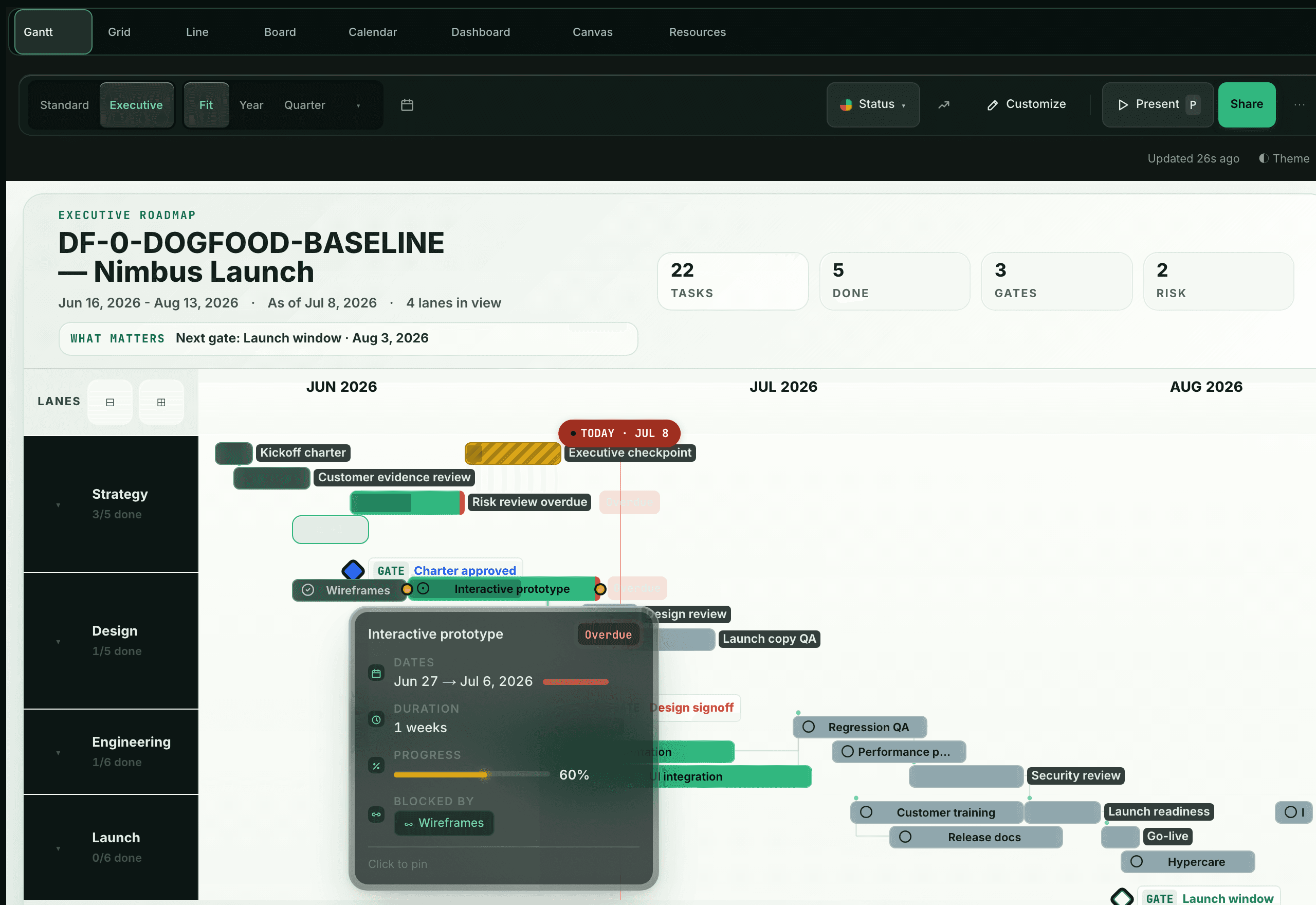
The deck writes itself. You just present it.
See Executive mode04 — The clean break
Leave the seat tax.
Upload
CSV, Excel, or MS Project — as-is, mess included.
Review
Your plan arrives structured — dates, owners, dependencies.
Present
Same afternoon, it's on a timeline the room can read.
Switching from a PowerPoint Gantt tool? One click, same story, live data.
Monday
Unlocks Gantt only at Standard ($12) and critical path and milestones only at Pro ($19) — with a 3-seat minimum and seat buckets: a 6-person team pays 10 seats.
Asana
Gates timeline and dependencies behind Starter — with a 2-seat minimum revealed at checkout.
ClickUp
The free plan's Gantt has a 100-uses-lifetime cap.
05 — The honest part
Pricing that respects your headcount.
- Gantt on every plan
- No seat minimums
- AI included, not metered
Plans and prices land at launch. Beta users get founding pricing first.
Join the beta06 — Still wondering
Questions, answered.
Is there a free plan?
The beta is free, no card required. Launch plans land with the pricing announcement — beta users get founding pricing before anyone else.
What can I import?
CSV, Excel, and MS Project files. Upload as-is; your dates, owners, and dependencies arrive structured.
Do you charge per seat?
No seat minimums and no seat buckets — pricing that respects your real headcount. Numbers land at launch.
Is the AI metered?
No. Zylo is part of the product, not a separate meter running next to it.
Where does my data live?
EU-hosted, GDPR-compliant infrastructure.
Can stakeholders view without an account?
Yes — share a read-only link. They see the live plan, not a stale export.
When does the beta open?
Waves are rolling now. Join the list and your spot moves up with every referral.